WhisperScript vs Otter.ai: Meeting Bot or Media Tool?
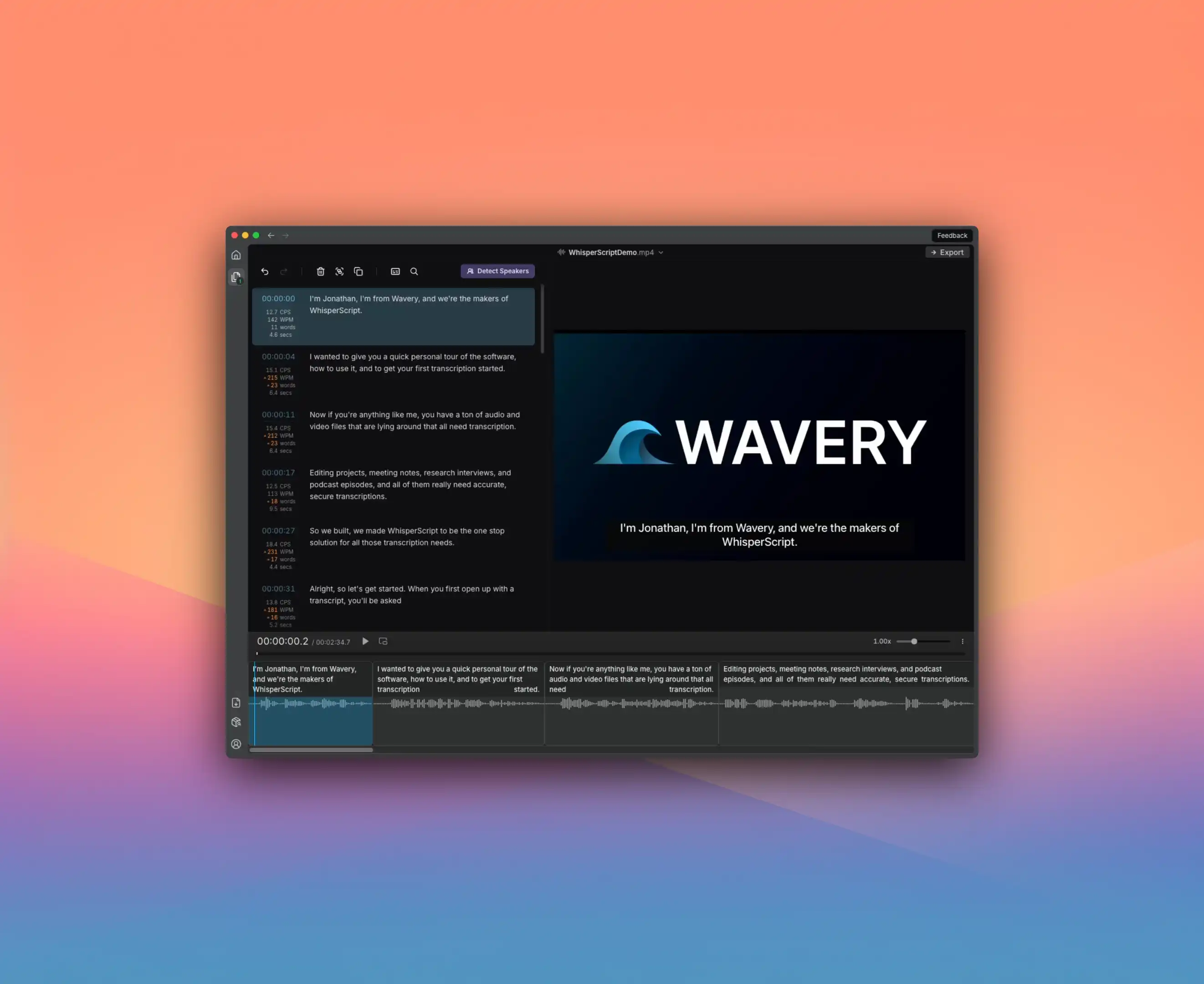
Otter.ai and WhisperScript get compared a lot, but they’re built for completely different workflows.
Otter.ai is a meeting assistant. It joins your Zoom calls as a bot, transcribes live, generates summaries, assigns action items. Everything happens in the cloud.
WhisperScript is a desktop app for transcribing files. It runs offline, processes audio and video on your device, and never uploads anything anywhere.
Different tools for different problems.
The Language Gap Is Huge
This is the single biggest difference:
- Otter.ai: 3 languages (English, French, Spanish)
- WhisperScript: 100+ languages
If you work with any language beyond those three, Otter literally cannot help you. Full stop.
Even if you primarily use English, this limitation affects international meetings, interviews with non-native speakers, and any content that mixes languages.
The Quick Comparison
| What You Need | Otter.ai | WhisperScript |
|---|---|---|
| Join meetings live | Yes | No |
| AI meeting summaries | Yes | No |
| Action item detection | Yes | No |
| Offline processing | No | Yes |
| Languages | 3 | 100+ |
| Unlimited transcription | No (minute limits) | Yes |
| SRT subtitle export | No | Yes |
| Video file support | Limited | Full (MOV, MP4, MKV) |
| Lifetime purchase | No | Yes (€249) |
Pricing: Minutes vs Unlimited
Otter.ai charges by the minute:
- Free: 300 minutes/month, 30-min max per conversation
- Pro: $16.99/month for 1,200 minutes/month
- Business: $30/month for 6,000 minutes/month
Hit your limit? Wait for next month or pay overages.
WhisperScript is unlimited:
- Monthly: €18/month
- Annual: €108/year (€9/month)
- Lifetime: €249 one-time
Transcribe 100 hours one month, 2 hours the next—same price.
For heavy users, WhisperScript’s lifetime purchase breaks even after about 27 months of Otter Pro. And you never worry about overage charges.
When Otter.ai Is the Right Choice
Otter excels at live meeting workflows:
- Real-time transcription: It joins meetings as a bot and transcribes as people speak
- AI summaries: Automatic action items, key points, follow-up recommendations
- Team collaboration: Share notes, assign tasks, search across your team’s meetings
- Speaker identification: Auto-identifies speakers, can be trained to recognize team members
If your primary need is capturing and summarizing team meetings in English, French, or Spanish—Otter is purpose-built for that.
When WhisperScript Is the Right Choice
WhisperScript excels at file-based workflows:
- Offline privacy: Your audio never leaves your computer. No cloud, no third-party access.
- 100+ languages: Transcribe content in any language without limitations
- Unlimited volume: No minute caps, no overage anxiety
- Subtitle export: Native SRT export for video creators
- Video file support: Built-in player for MOV, MP4, MKV files
If you’re transcribing interviews, podcast episodes, video content, or anything sensitive—WhisperScript is the better fit.
The Privacy Question
Otter.ai is cloud-based. Your audio goes to their servers. They’re reputable and have security certifications, but your content is processed externally.
WhisperScript is local-only. Your files never leave your device. There’s nothing to breach because there’s no server involved.
For journalists protecting sources, lawyers handling privileged conversations, or anyone with strict confidentiality requirements—offline is the only option.
My Recommendation
Use Otter.ai if:
- You need live meeting transcription and summaries
- Your team works primarily in English, French, or Spanish
- You want AI-generated action items and follow-ups
- You’re comfortable with cloud-based processing
Use WhisperScript if:
- You transcribe files rather than join live meetings
- You work with languages beyond English/French/Spanish
- Privacy is non-negotiable
- You want unlimited transcription without minute tracking
- You prefer owning software over renting it
They’re both good tools. They just solve different problems.
Jesse handles content at Wavery. He’s tested most transcription tools on the market and has strong opinions about minute-based pricing.